No-Code Integrations

Automate document generation with the tools you already use

Automate With

Zapier

Connect DocuGenerate with thousands of the most popular apps and automate your PDF generation using Zaps. Pick a trigger, add DocuGenerate as an action, and start automating documents in just a few minutes.

DocuGenerate App

Check out the Zapier Integration page to browse the ready-made Zap templates that you can use.

Get Started

Follow the setup guide to connect your account and build your first Zap in minutes.
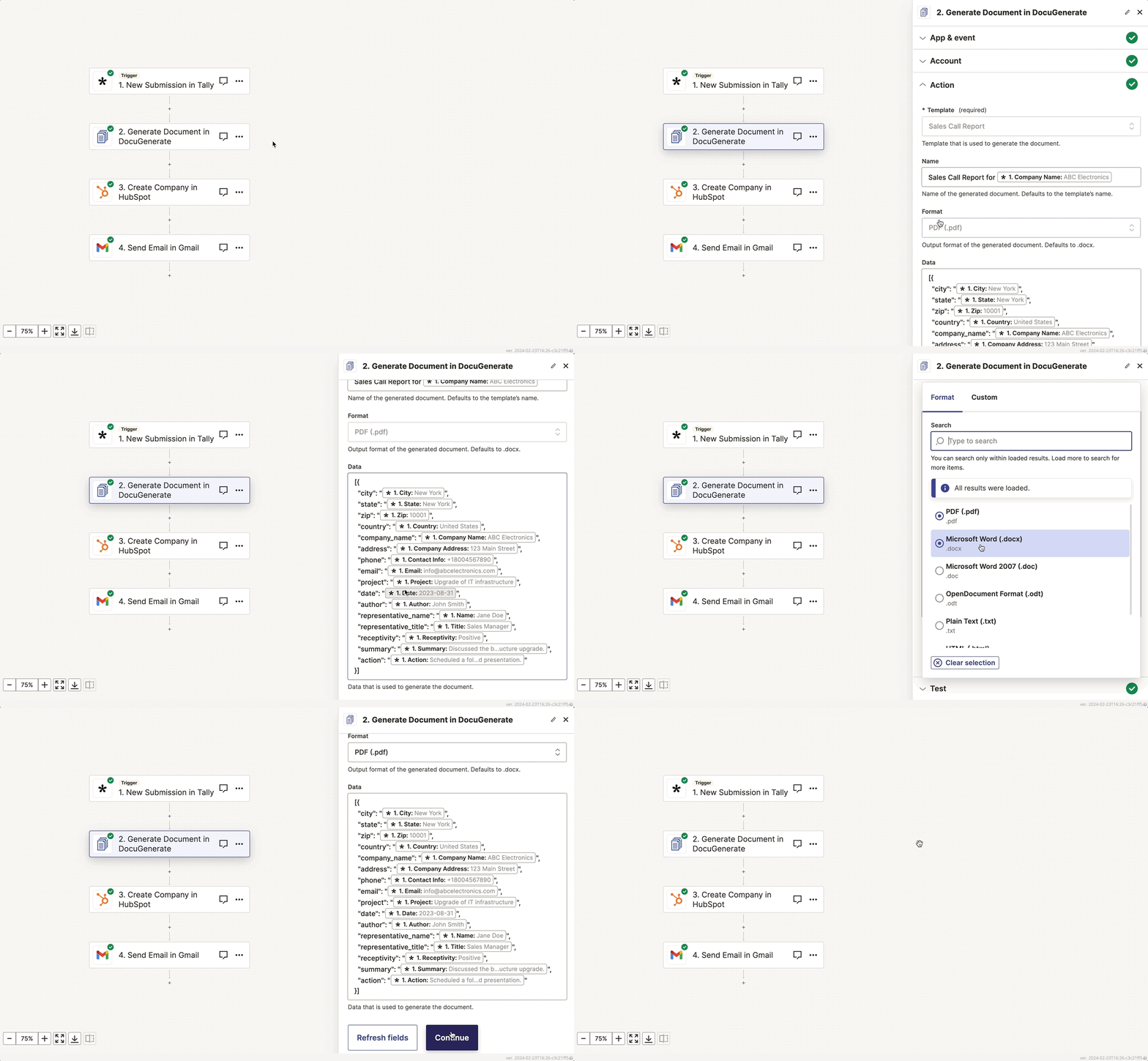
Zap generating a document in DocuGenerate from a Tally form submission, then creating a HubSpot company and sending an email with Gmail
Automate With

n8n

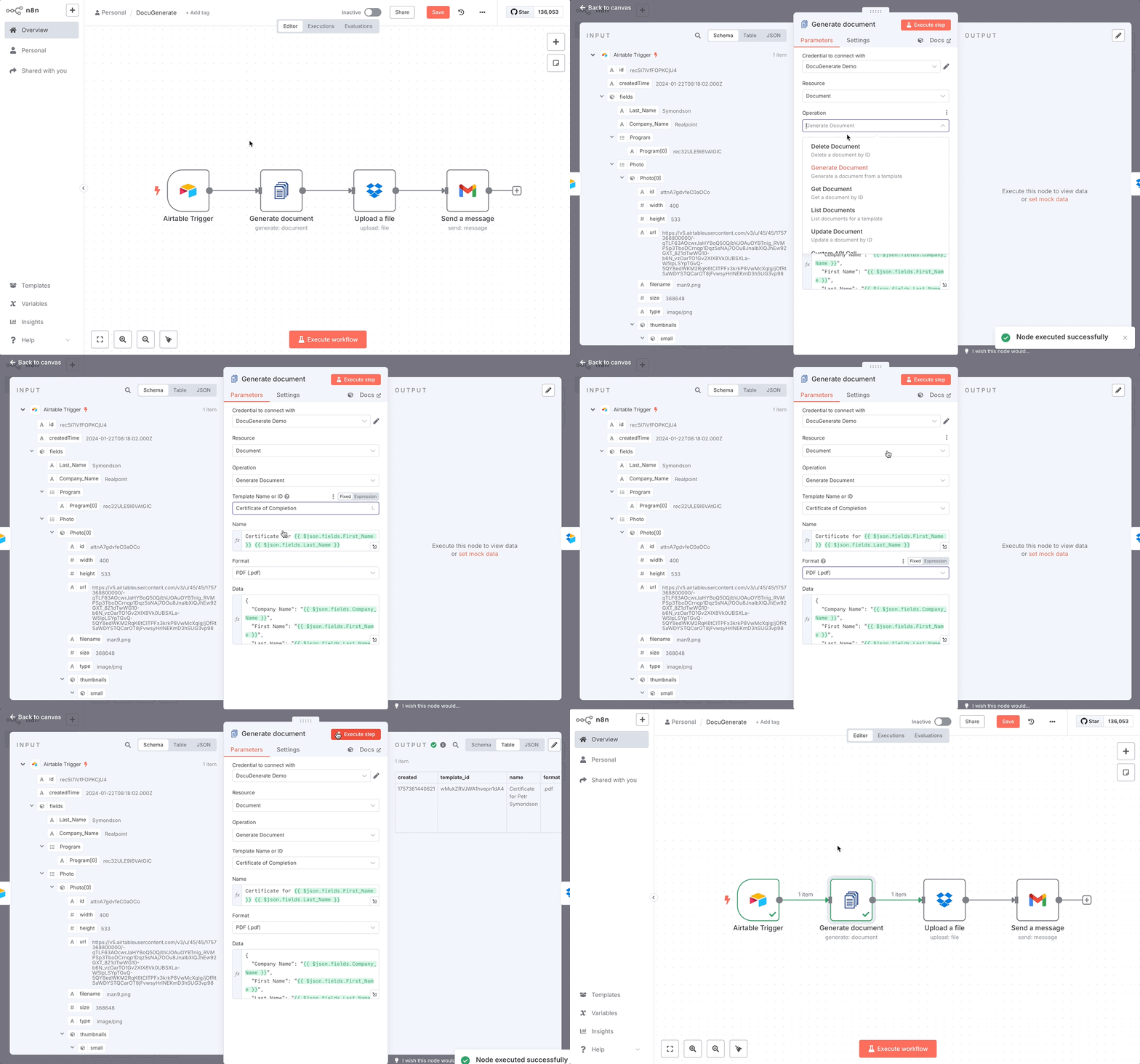
Connect DocuGenerate with 1000+ integrations and automate document generation inside your workflows. Run n8n in the cloud or host it yourself, keeping every document and every record on your own infrastructure.

DocuGenerate Node

Check out the n8n Integration page to see all the actions the node supports.

Get Started

Follow the setup guide to connect your account and build your first n8n workflow.

n8n workflow generating documents with DocuGenerate from form submissions and saving them to cloud storage
Automate With

Make

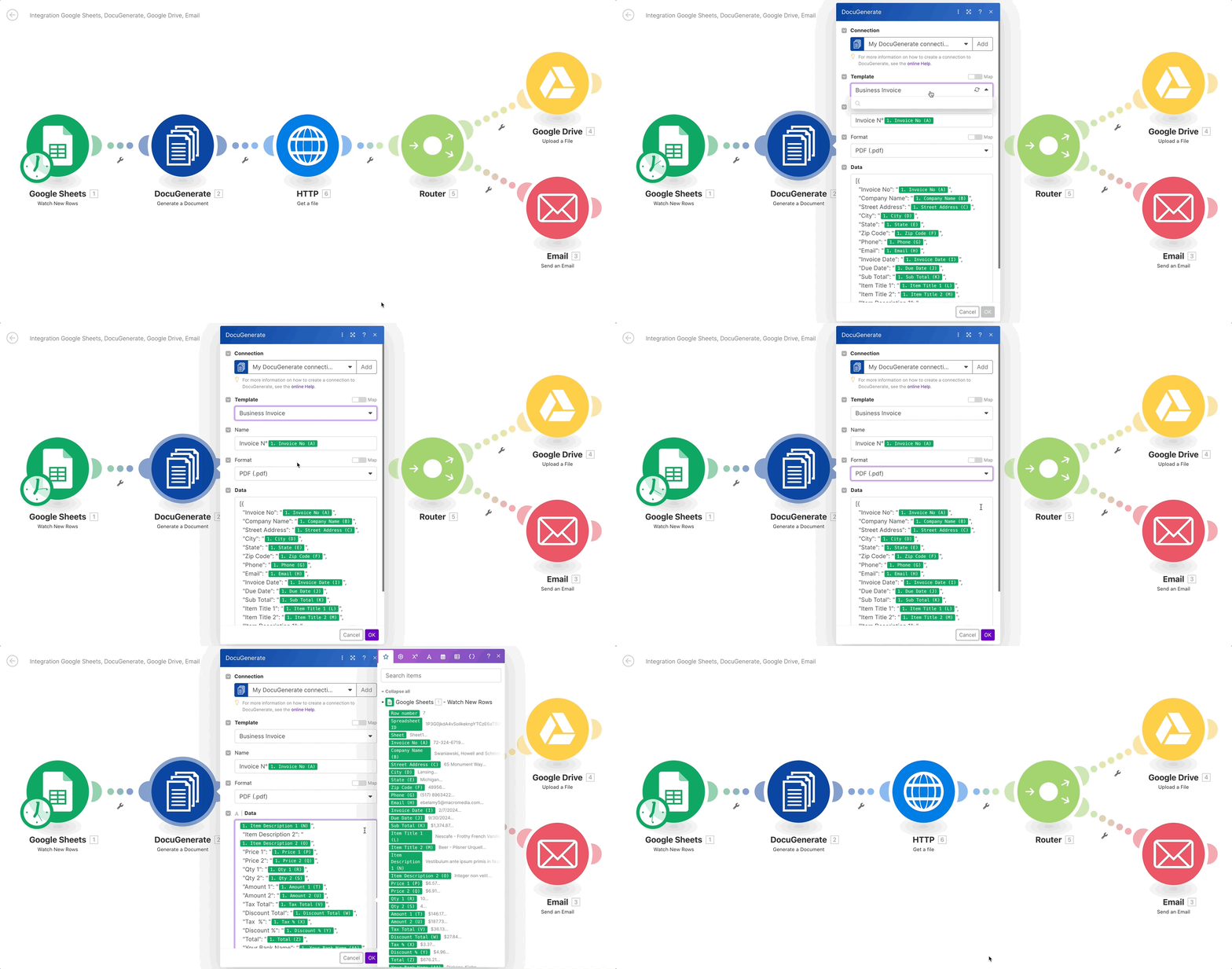
Connect DocuGenerate with 2000+ apps and automate your document generation using visual scenarios. Drag the modules onto the canvas, map your data across them, and let Make run the whole flow for you.

DocuGenerate App

Check out the Make Integration page to see the modules and how to chain them.

Get Started

Follow the setup guide to connect your account and build your first scenario.

Make scenario generating an invoice with DocuGenerate from a Google Sheets row, then saving it to Google Drive and sending it by email
Build With

Bubble

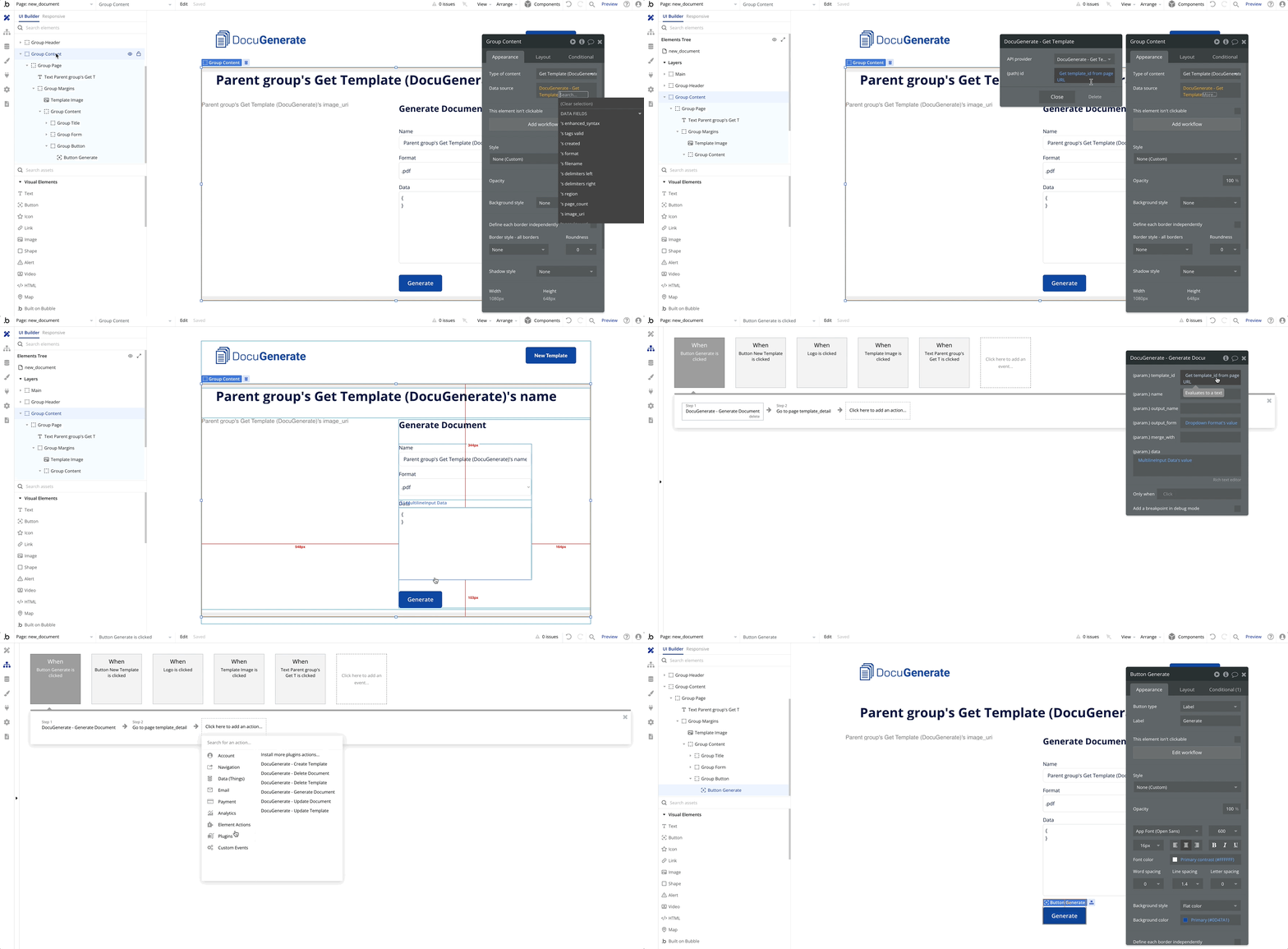
Automate PDF generation inside your Bubble apps using the DocuGenerate plugin. Add the Generate Document action to any workflow, and let your users produce invoices, contracts and reports on demand.

DocuGenerate Plugin

Install the plugin and try the demo app from the Bubble Integration page.

Get Started

Follow the setup guide to connect your account and build your first Bubble page.

Building the New Document page in a Bubble demo app using the plugin's Generate Document action
Automate With

Pipedream

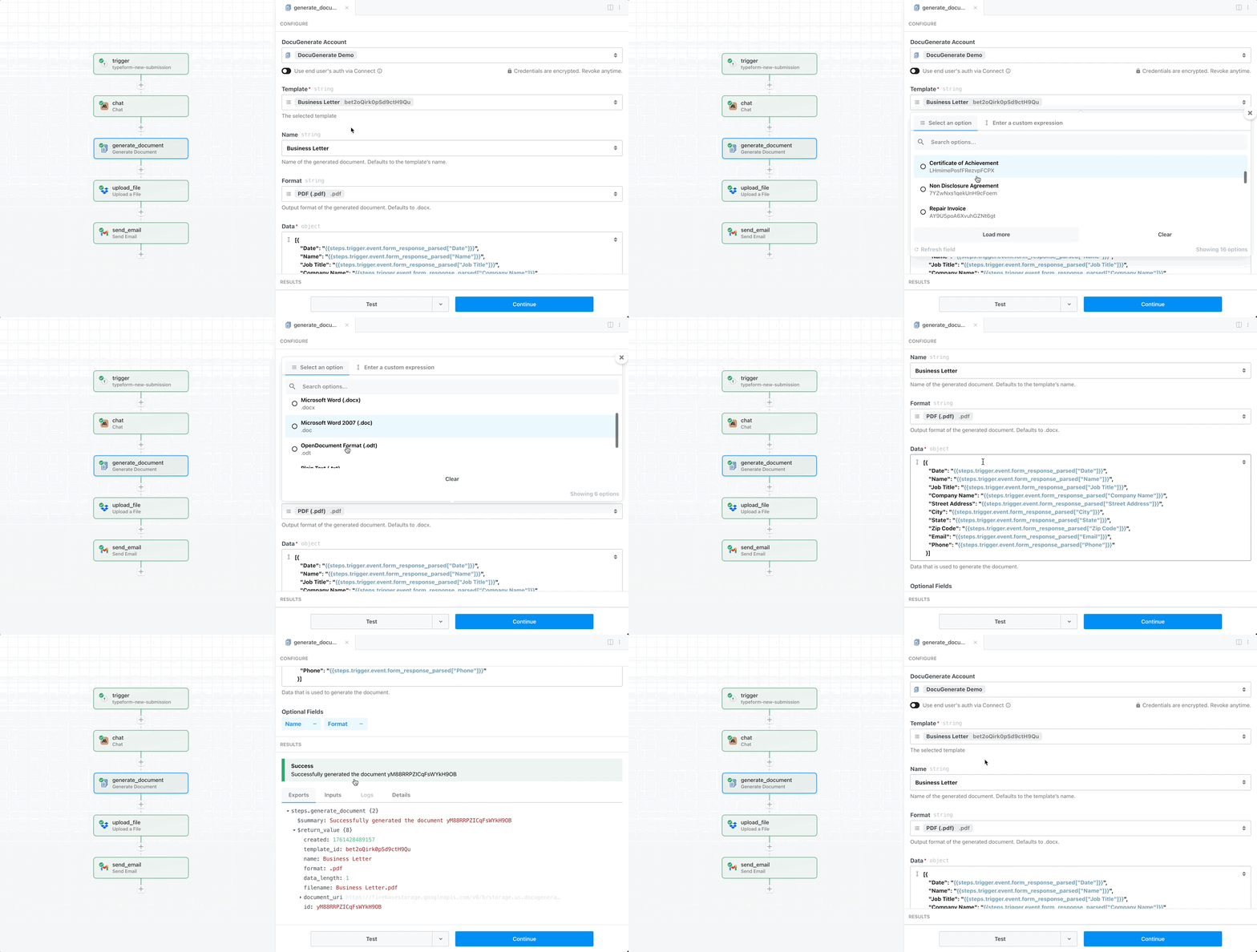
Connect DocuGenerate with apps on Pipedream and build agents and automations to solve any use case. Start from the pre-built actions, then drop in your own code whenever a step needs something custom.

DocuGenerate App

See the pre-built actions you can use in your workflows on the Pipedream Integration page.

Get Started

Follow the setup guide to connect your account and build your first workflow.

Pipedream workflow generating a document from a Typeform submission, uploading it to Dropbox and emailing it to the recipient
Build With

Power Apps

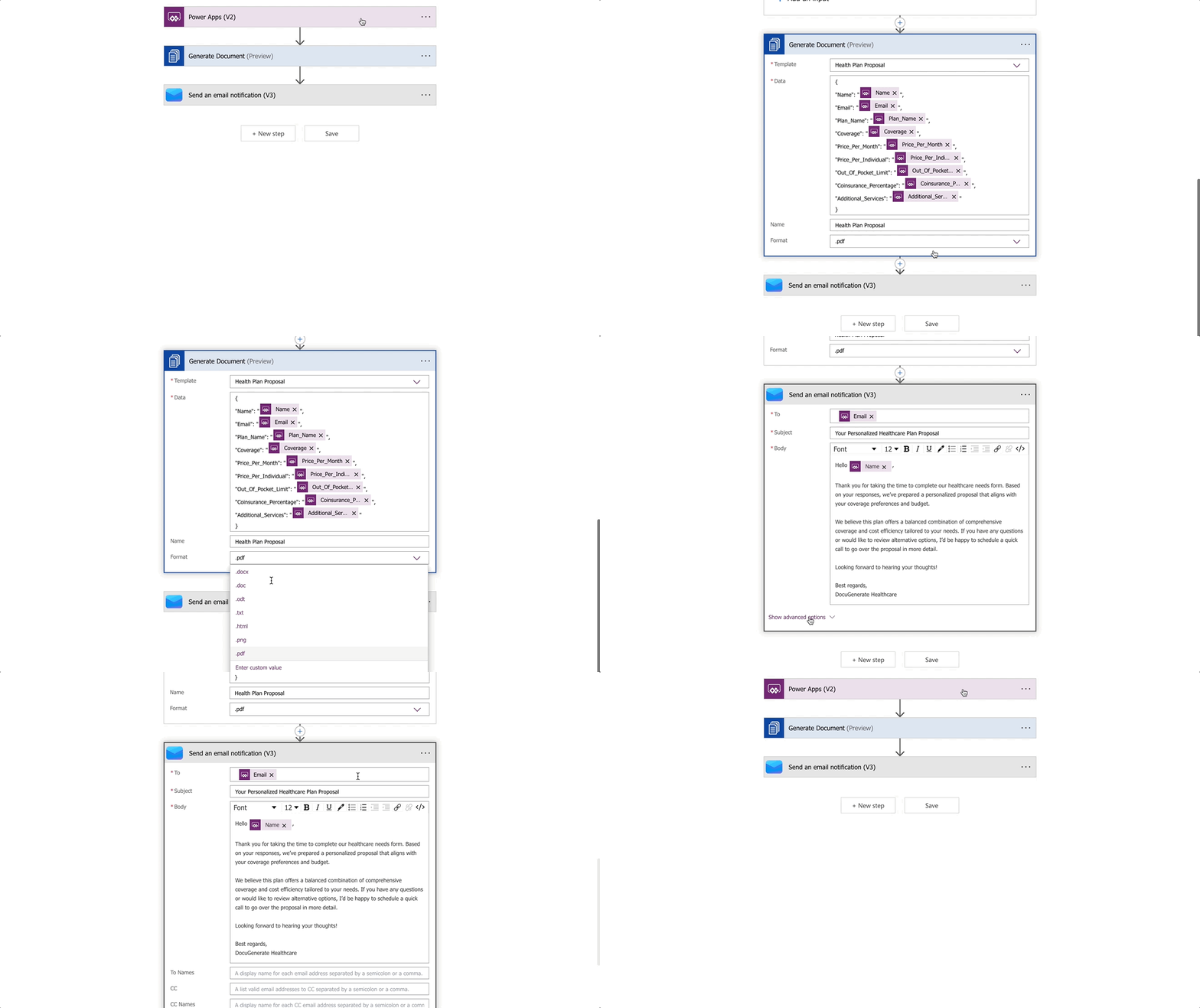
Generate documents in Power Apps, Power Automate, Logic Apps and Copilot Studio with a single connector. One setup covers the whole Power Platform, so every app your team builds can produce documents.

DocuGenerate Connector

Find the connector for Power Platform on the Power Apps Integration page.

Get Started

Follow the setup guide to connect your account and build your first Power Automate flow.

Power Automate flow generating a document with the DocuGenerate connector
Build With

Coda

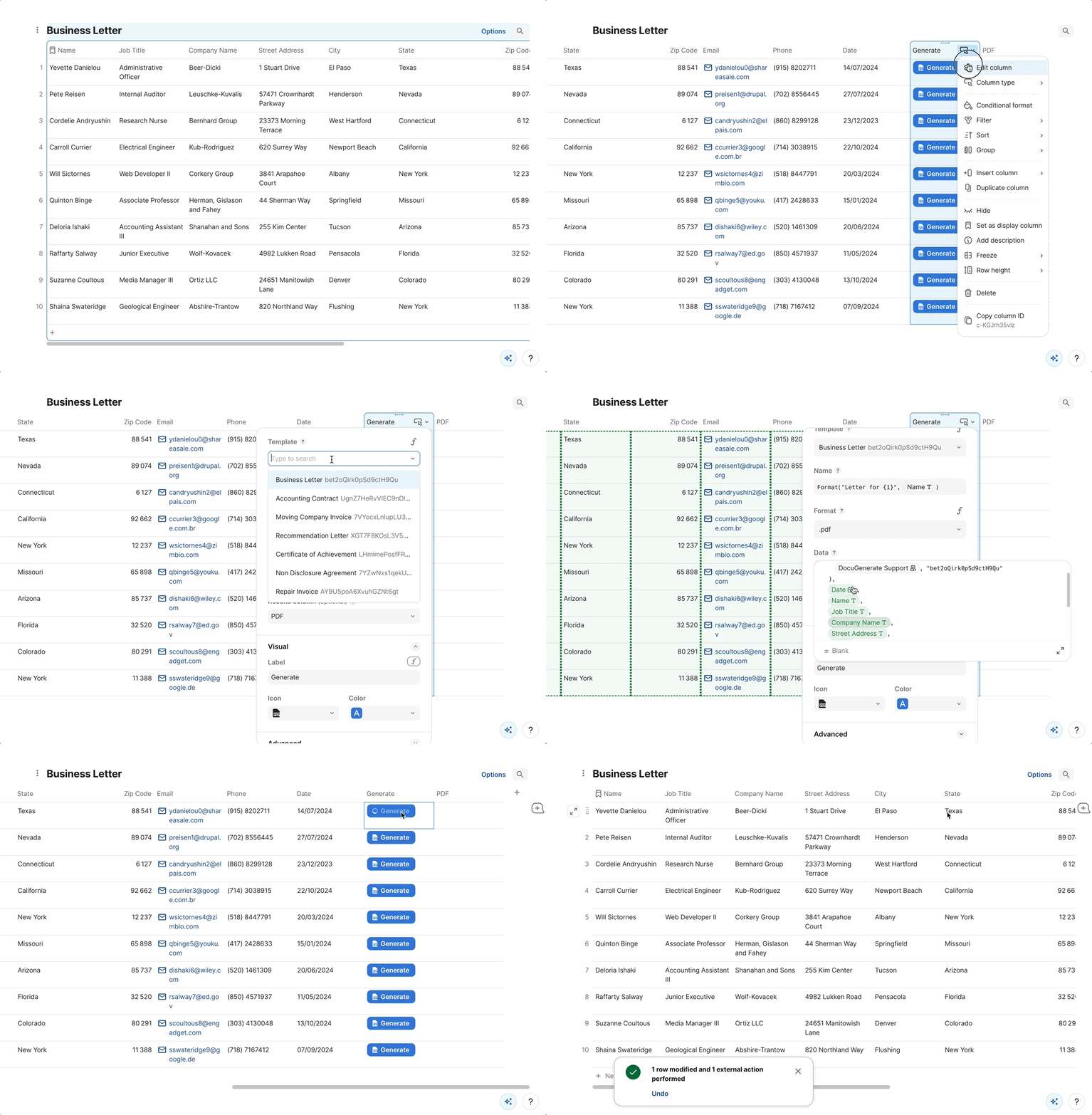
Streamline document creation within your Coda docs with the DocuGenerate Pack. Generate a document straight from a table row, and keep the link to the finished file alongside the data it was built from.

DocuGenerate Pack

Add the Pack from the Coda Integration page, with ready-to-use tables included.

Get Started

Follow the setup guide to connect your account and generate your first document.

Generating a document from a Coda table row using the DocuGenerate Pack
Develop With

Backendless

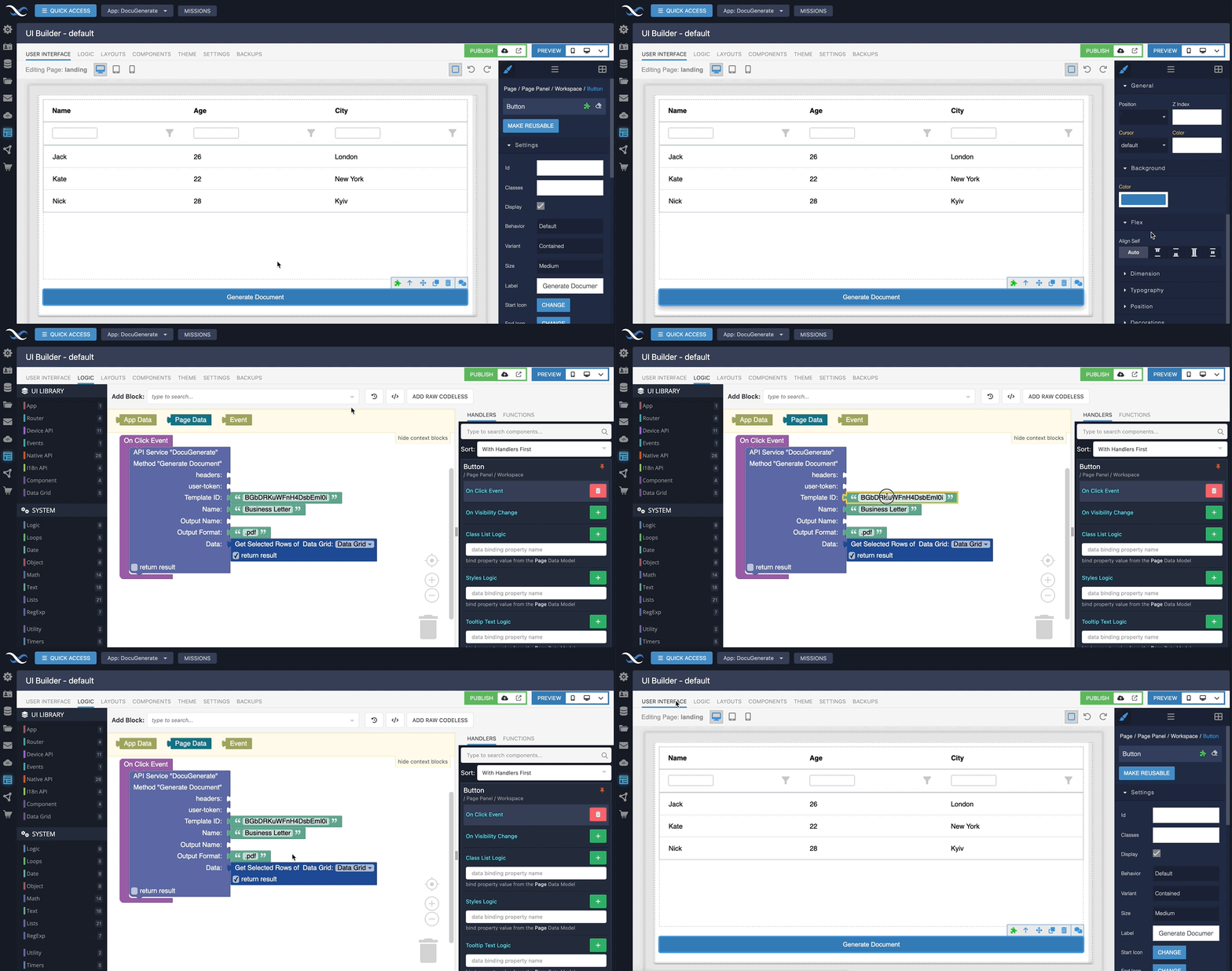
Generate documents directly from Backendless using the DocuGenerate API Service. Drop it into a FlowRunner flow and produce invoices or reports from your app data without ever leaving the platform.

DocuGenerate Service

Install the API Service from the Backendless Integration page in a few clicks.

Get Started

Follow the setup guide to connect your account and build your first FlowRunner flow.

Generating a document from Backendless using the DocuGenerate API Service in FlowRunner
Develop With

Xano

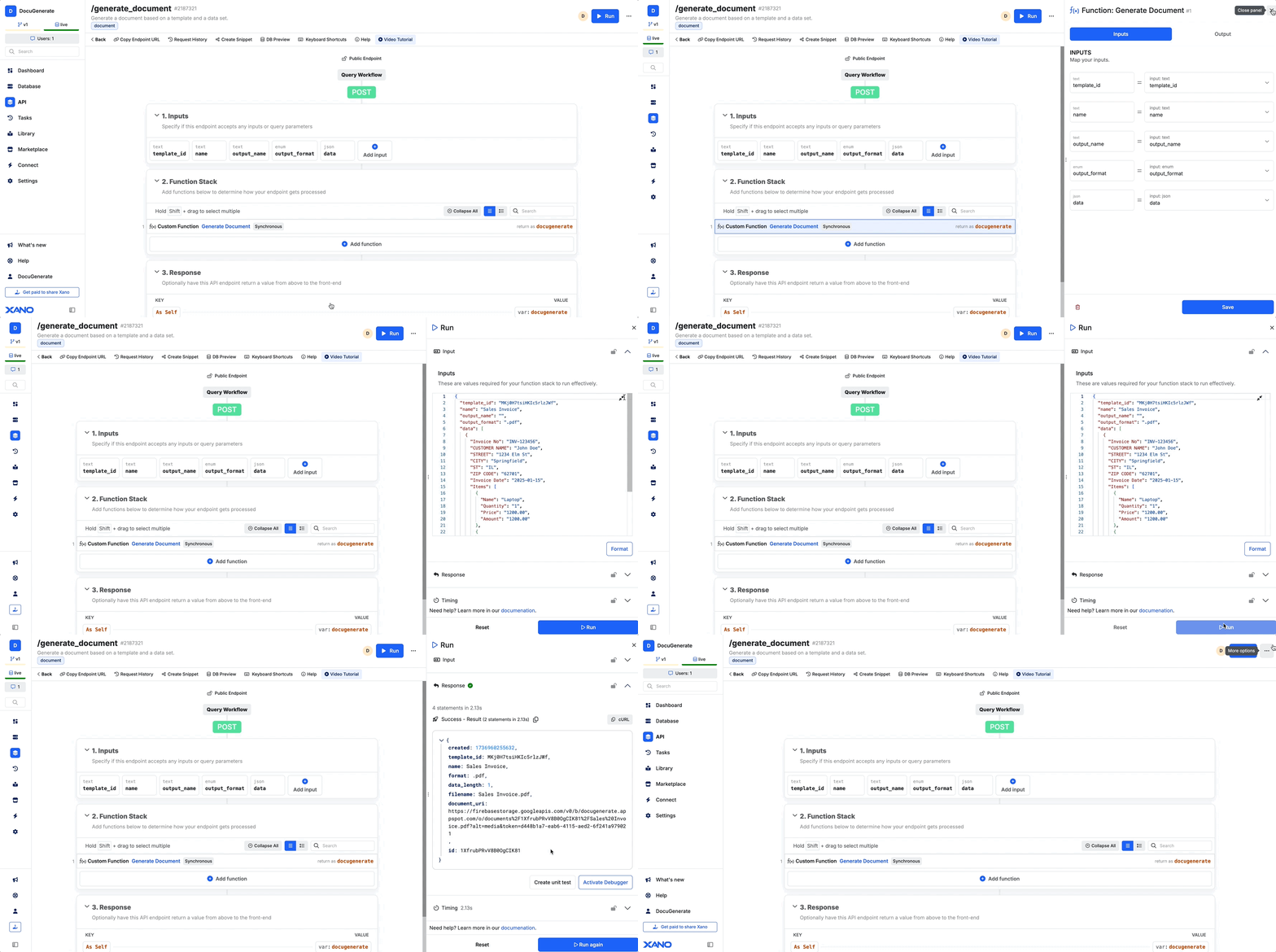
Add document creation to your Xano backend with a ready-made snippet. Import it once and your function stack can generate documents from the records it already holds, with no API wiring to write yourself.

DocuGenerate Snippet

Import the snippet and API endpoints from the Xano Integration page.

Get Started

Follow the setup guide to add the snippet and call it from your function stack.

Generating a document from a Xano function stack by calling the DocuGenerate API